Manage dApp Staking & claim rewards
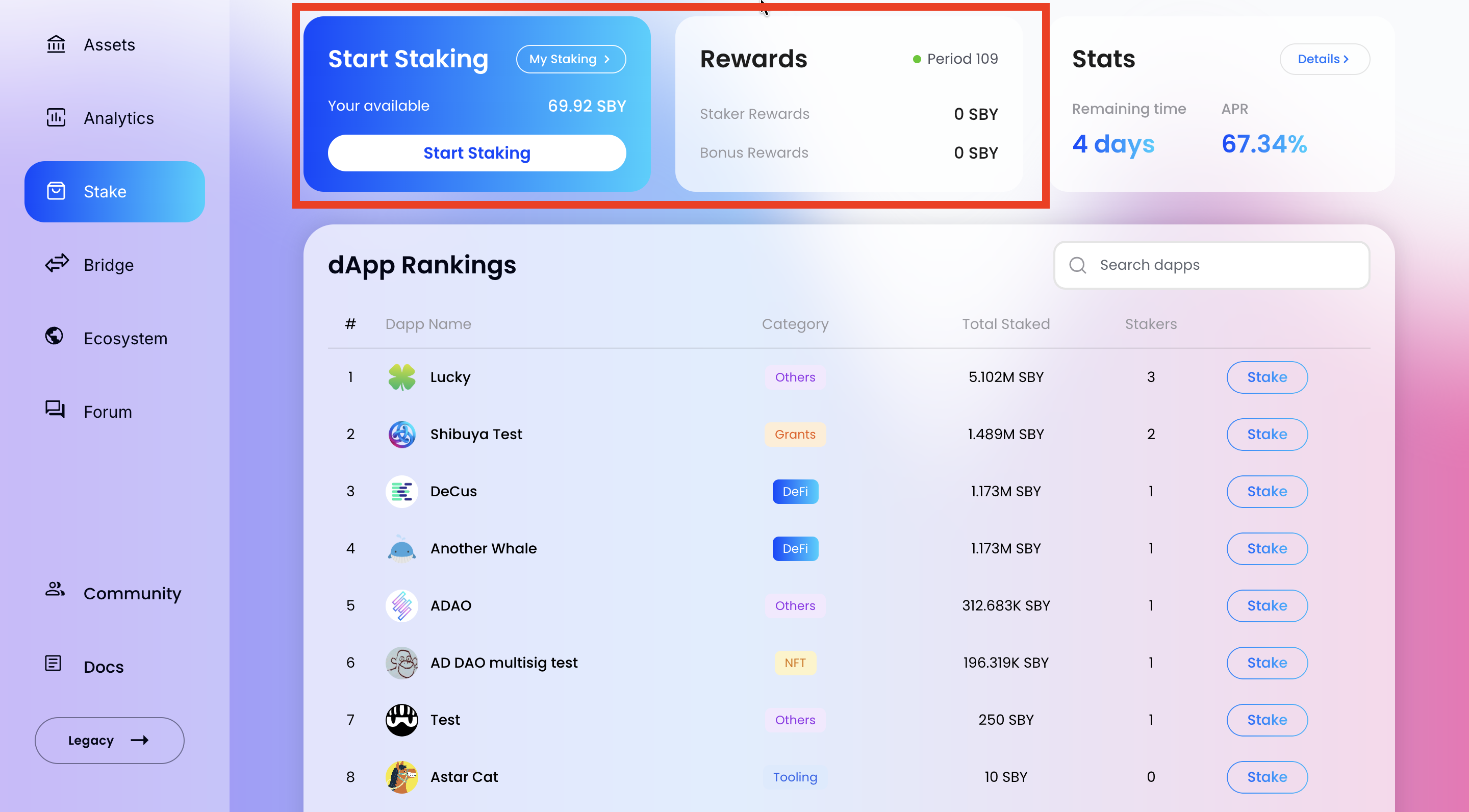
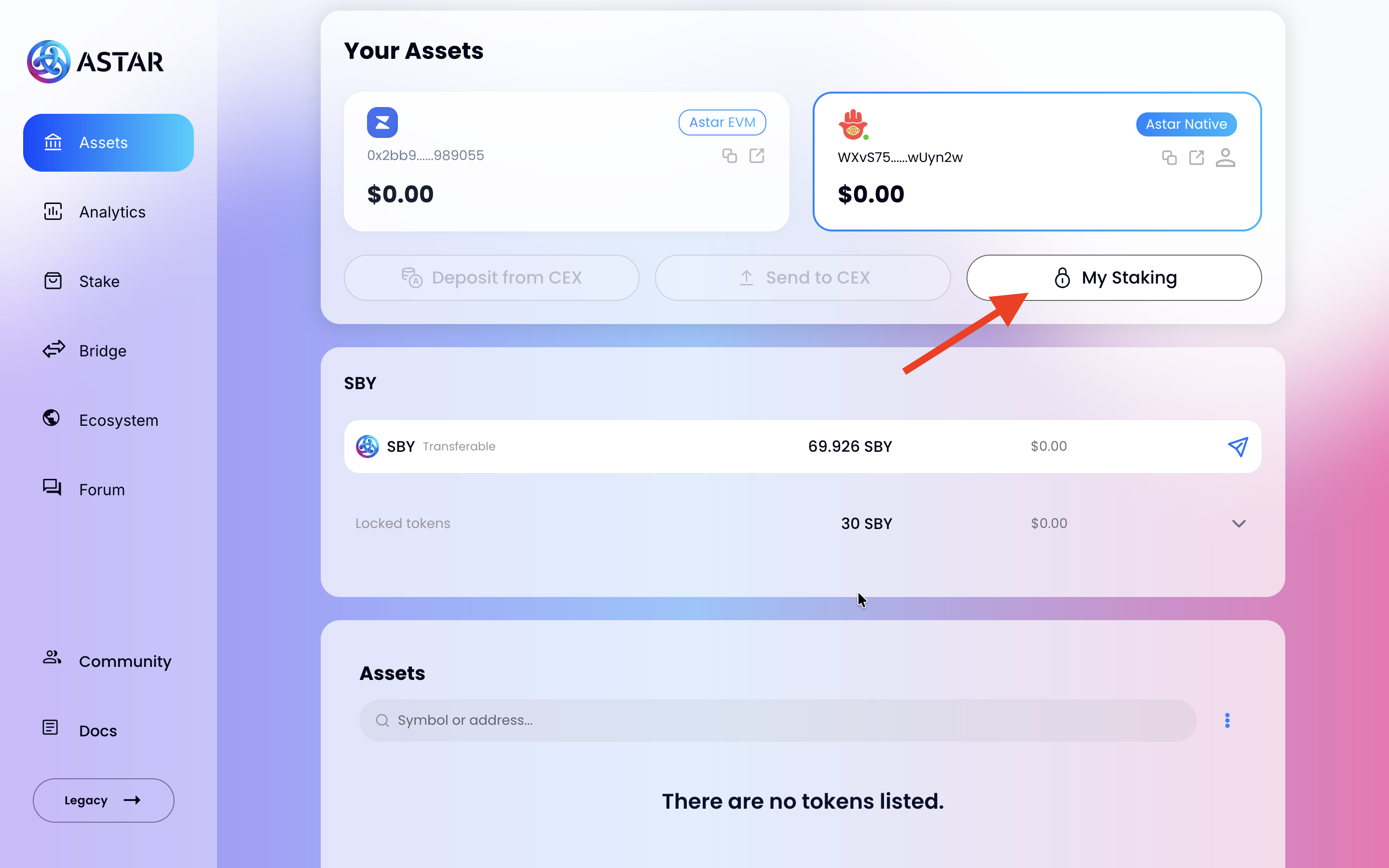
Once you have staked, you can manage your positions and rewards from the Assets Page. Click the My Staking button at the top of your assets panel to open your staking dashboard.
My Staking Panel
The My Staking panel gives you a complete view of your staked and locked balances, and lets you claim your rewards.
- Staked Amount: Total tokens you currently have staked across all dApps.
- Locked Amount: Tokens that are locked but not actively staked. Two action icons appear next to this balance:
- Unlock (open padlock icon): Start the unlocking process to make these tokens transferable.
- Stake (padlock icon): Stake your locked tokens into dApp Staking.
- Rewards (blue card): Shows the current period, your Available to claim balance, and the Claim estimated Rewards button.
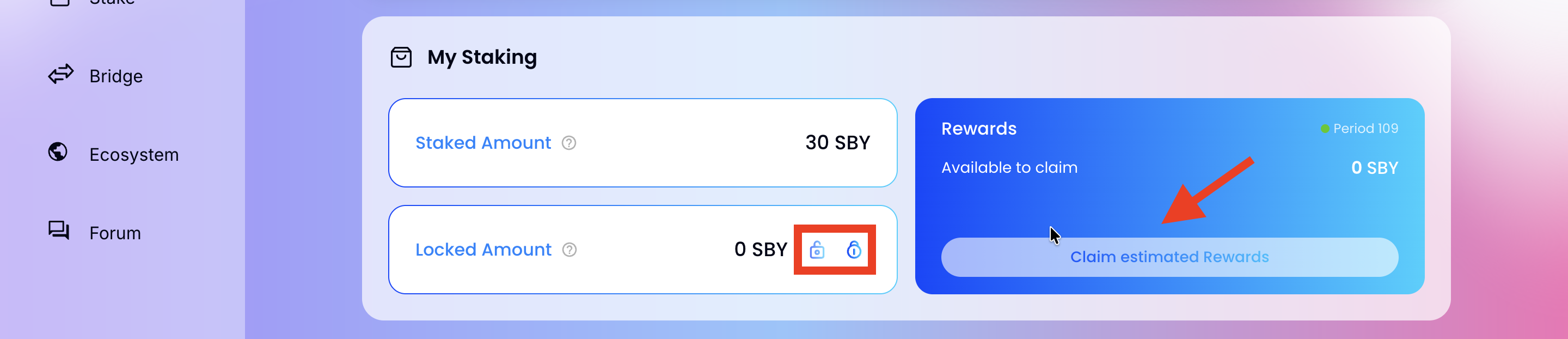
To claim your rewards, click Claim estimated Rewards and sign the transaction.
If you have active stakes, a modal will appear offering you to re-stake your rewards. Select Yes, re-stake my rewards to proportionally re-stake them across all dApps you are currently staking on, or decline to receive them as transferable tokens.
All pending rewards on a dApp must be claimed before staking again.
My dApps Panel
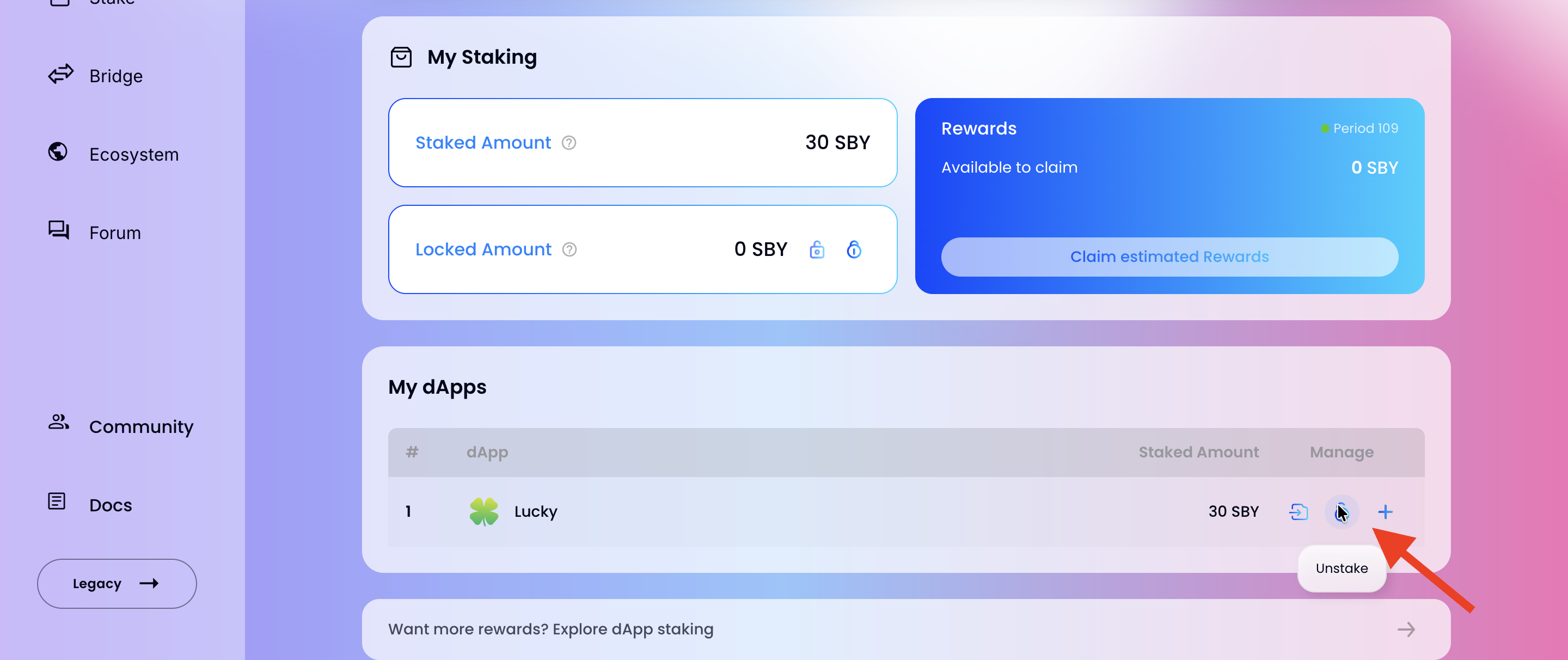
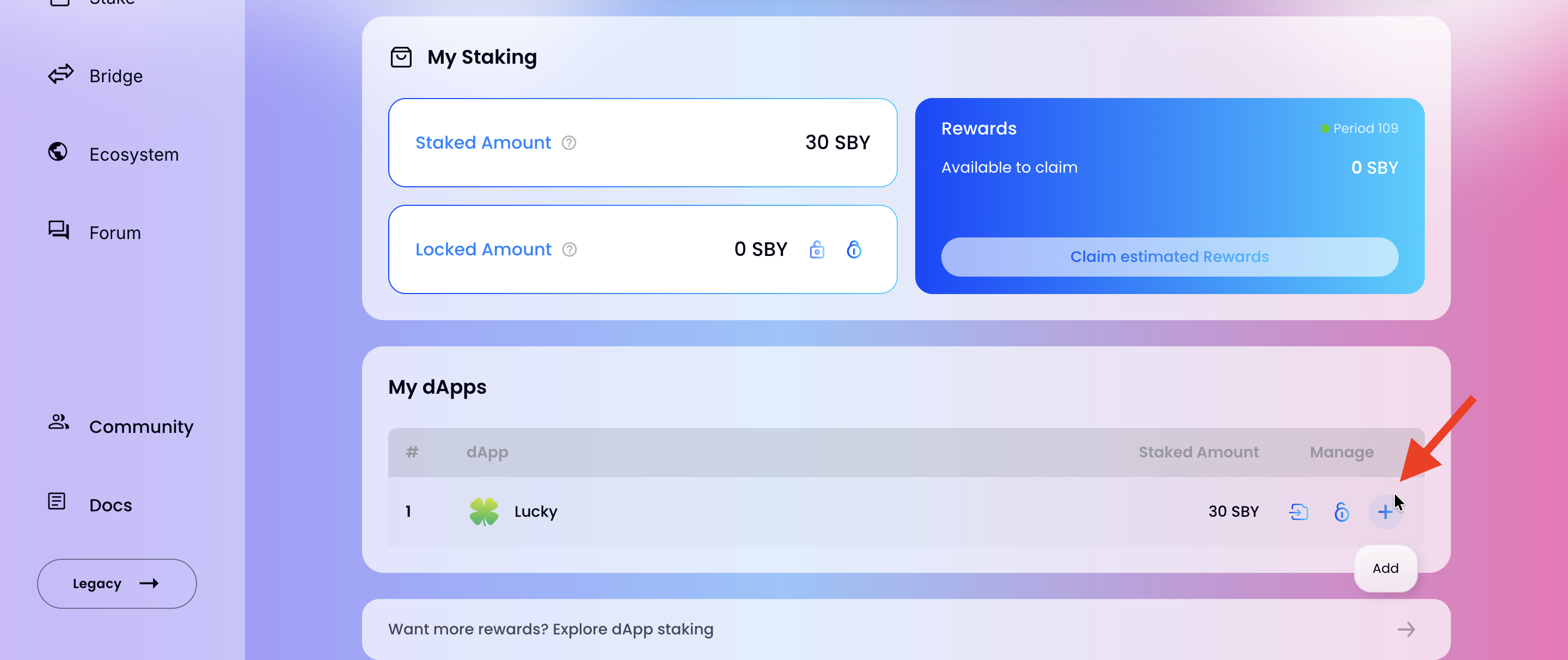
The My dApps panel lists all dApps you are currently staking on, with your staked amount and three Manage actions per dApp row:
- Move (→ icon): Move your staked tokens from this dApp to another.
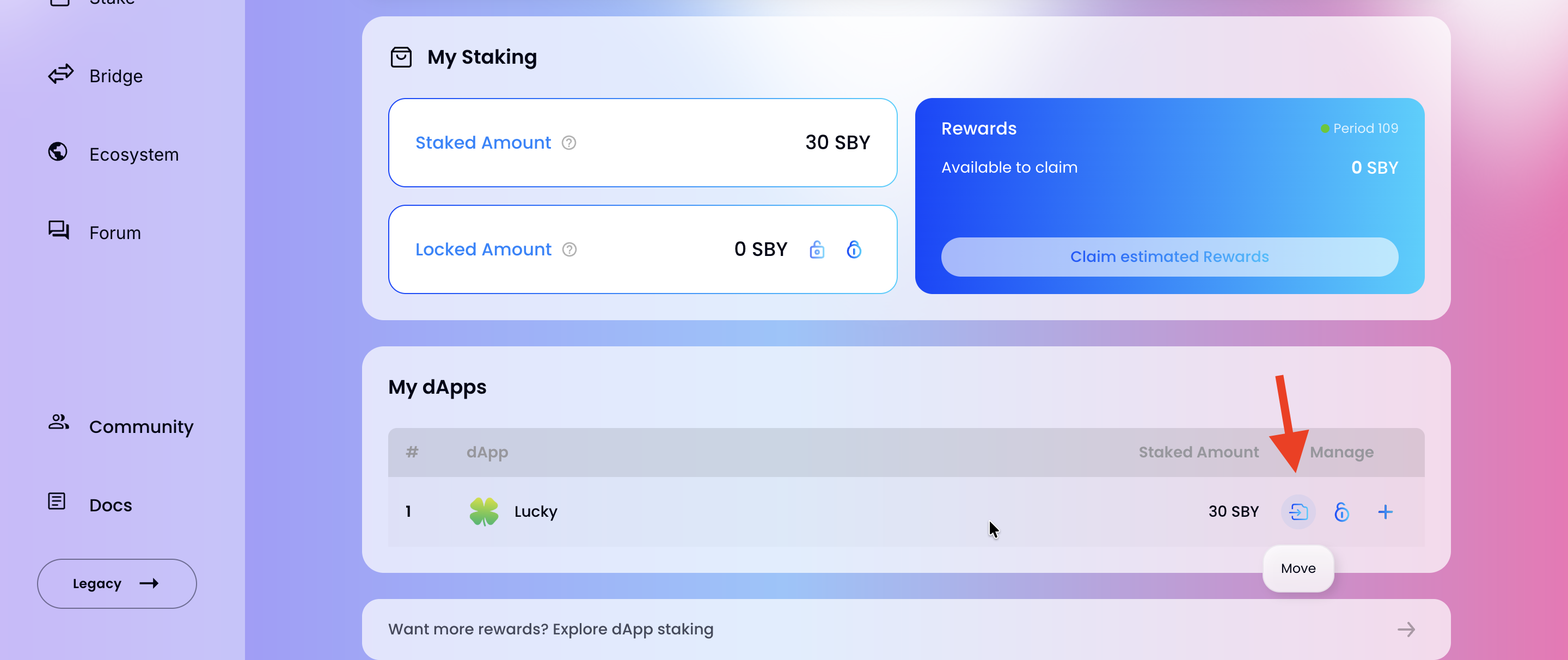
- Unstake (lock icon): Begin the unstaking process. Your tokens will enter the unlocking period before becoming transferable. See Unstaking from dApps for full details.
- Add (+ icon): Add more tokens to your stake on this dApp.
Unlocking Panel
After initiating an unstake, an Unlocking panel appears below My Staking on the Assets page. It tracks your in-progress unlocking chunks and lets you withdraw tokens once the period ends or re-lock them back into staking.
For full details on the unlocking process, see Unstaking from dApps.
You can also access your staking dashboard directly from the Stake page by clicking the My Staking → link in the banner at the top.