Unstaking from dApps
Overview
Locking is a process by which tokens are temporarily locked. Staking is one of the scenarios that require tokens to be bonded.
Unlocking is the action of telling the network that you want to unlock these tokens. After the unlocking period, you can withdraw the tokens, and they become transferable.
Please note that this is based on a perfect block production of 6s. In case of any delay, your unlocking period can be a little longer.
The unlocking period lengths can be consulted here.
When you unlock or unstake your tokens from dApps Staking, you won't earn rewards during the unlocking period!
How to unstake staked tokens
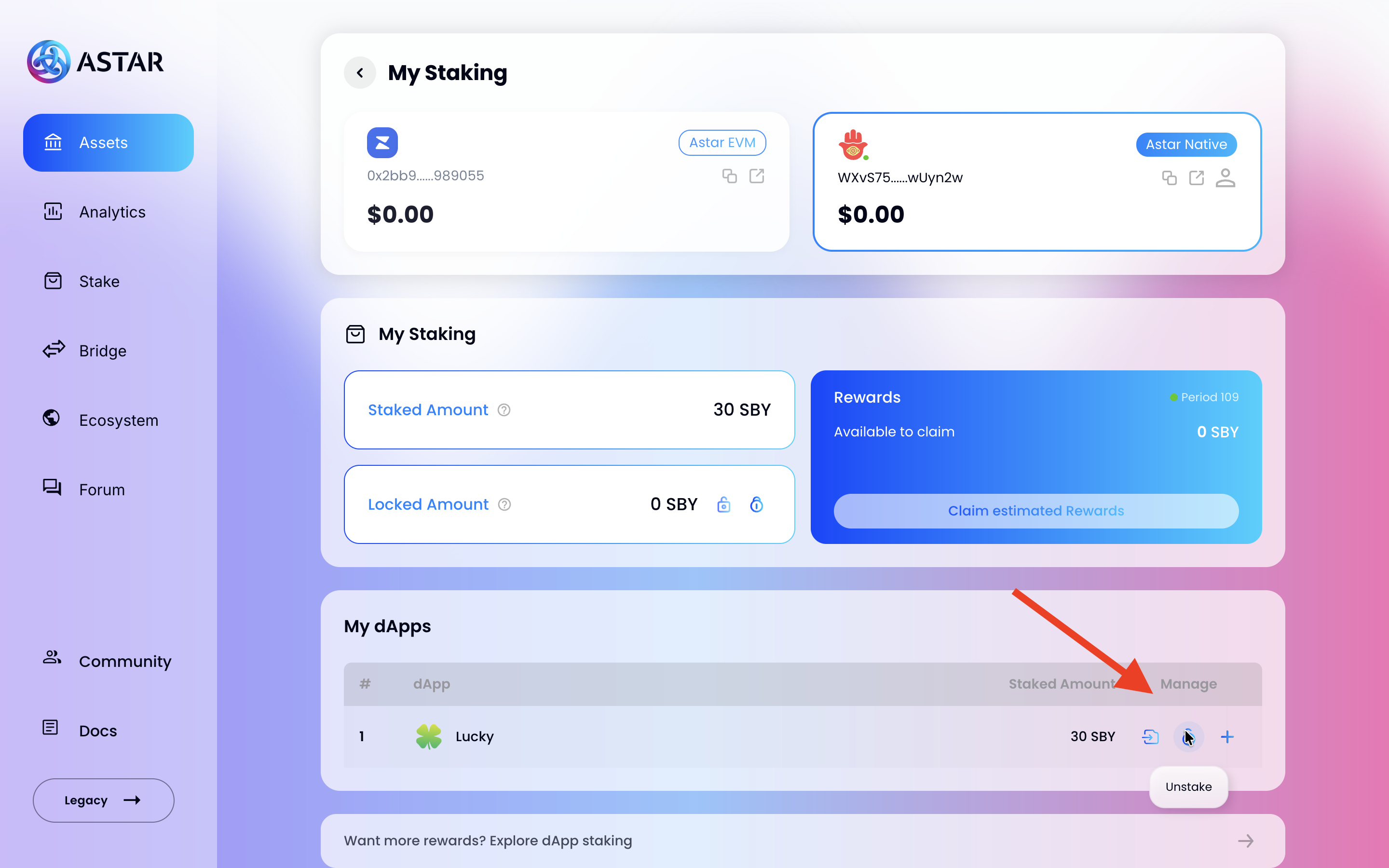
If you have tokens staked on a dApp, you can begin the unstaking process from the My dApps panel on the Assets Page.
- Click the Unstake button (lock icon) on the row of the dApp you want to unstake from.
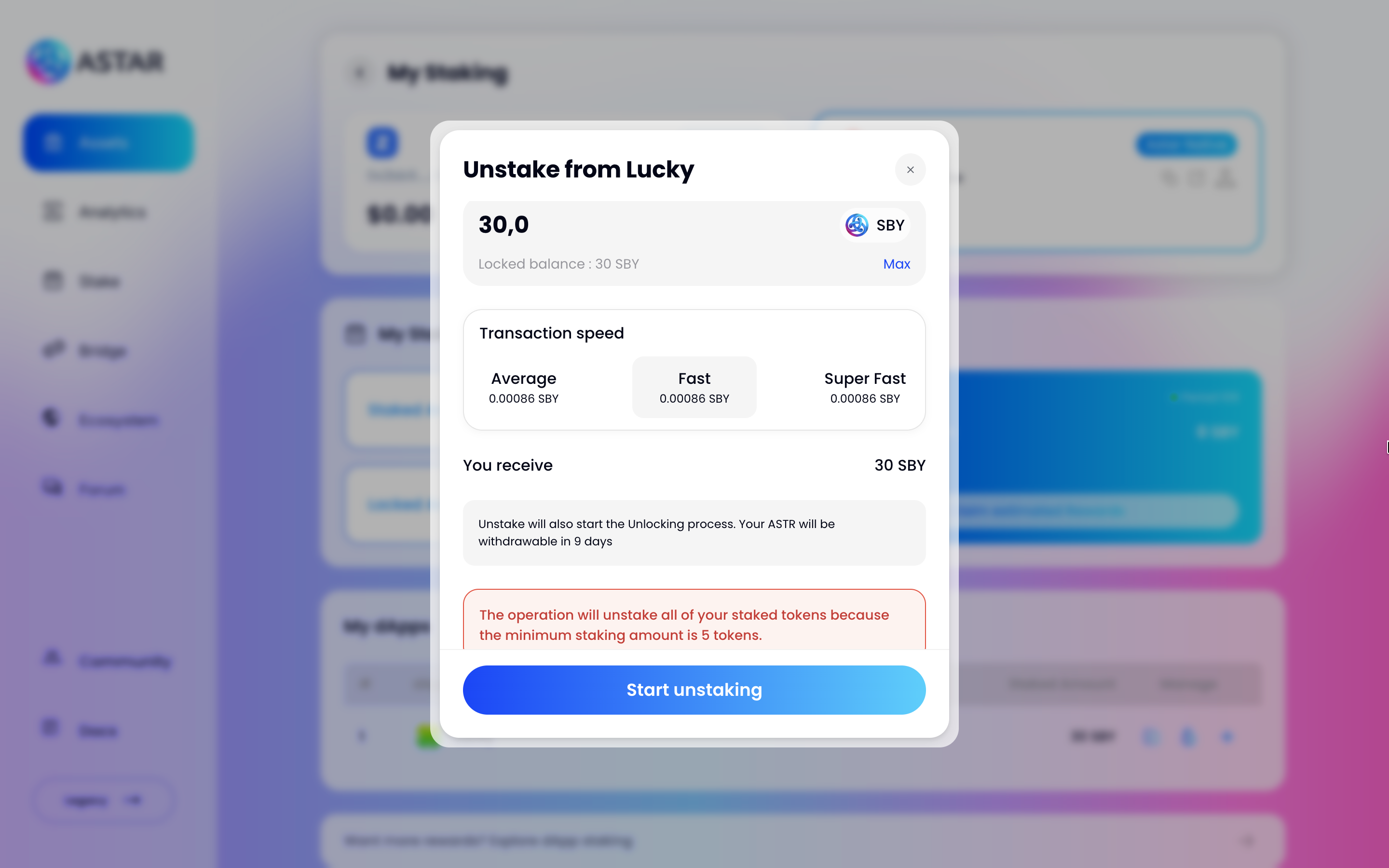
- An Unstake from [dApp name] modal will appear. Enter the amount you want to unstake or click Max to unstake your full balance.
- Choose your preferred Transaction speed (Average, Fast, or Super Fast).
- Review the summary — it shows how many days your tokens will need to unlock before they become withdrawable.
- Click Start unstaking and sign the transaction.
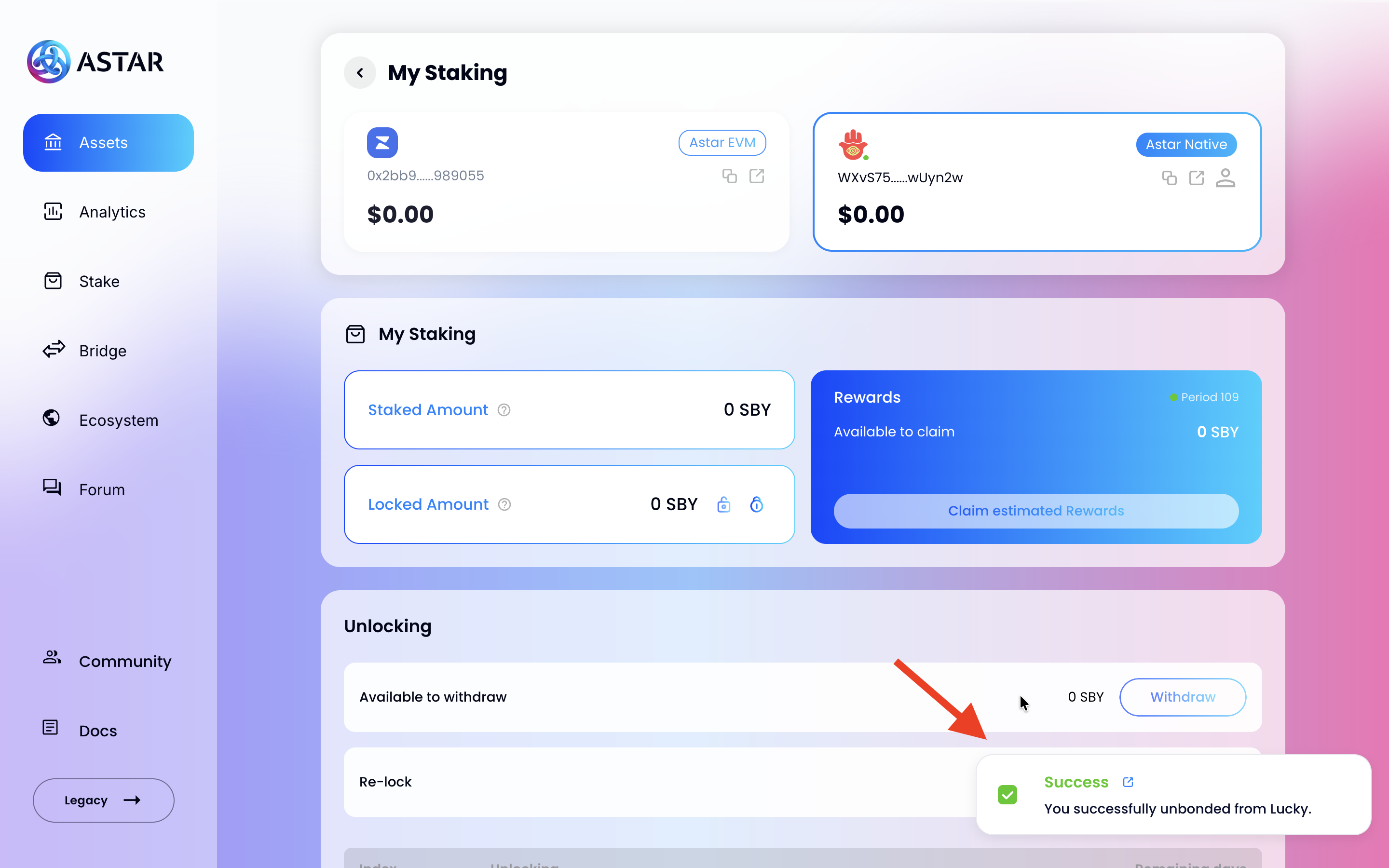
Once the transaction is confirmed, a success notification will appear and the Unlocking panel will become visible below My Staking.
If you unstake part of your tokens from a dApp and your remaining balance falls below the minimum staking amount, all your tokens from that dApp will be unstaked automatically.
Unlocking Panel
After unstaking, the Unlocking panel appears below My Staking on the Assets page. It tracks the progress of each unlocking request.
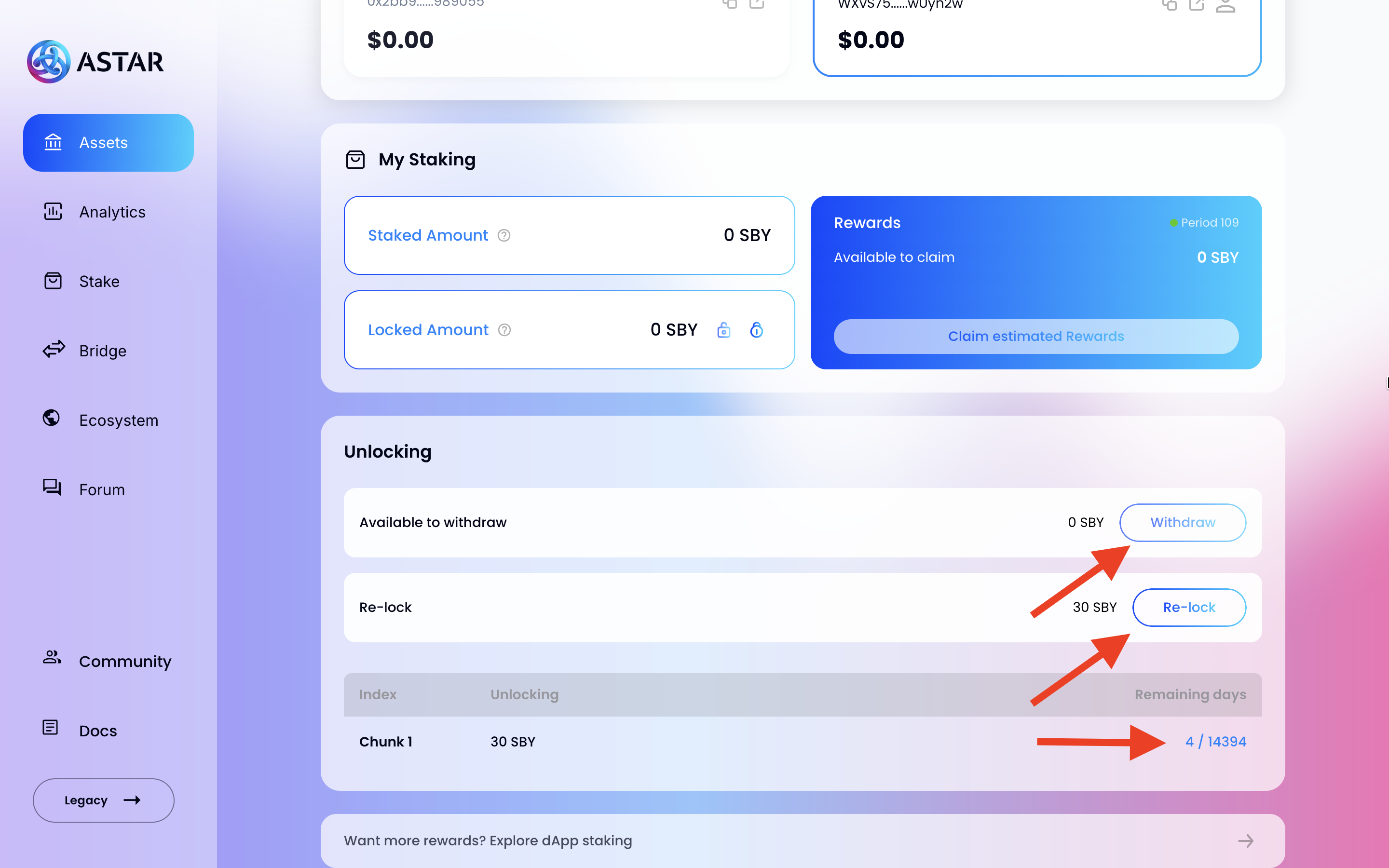
- Available to withdraw: Tokens whose unlocking period has ended. Click Withdraw and sign the transaction to make them transferable.
- Re-lock: Tokens still undergoing the unlocking period. Click Re-lock to cancel the unlock and return them to the locked state for use in dApp Staking.
- Chunk list: Each row represents one unlocking request (e.g. Chunk 1 — 30 SBY) with a Remaining days counter showing how many Eras remain before withdrawal is possible.
What is a Chunk?
Each unlocking request is recorded as a Chunk — a specific amount of tokens paired with the block at which they become withdrawable.
Example: "1000 ASTR is undergoing the unlocking period and will be available for transfer at block 42,000,000."
How to unlock locked tokens
If you have tokens that are locked but not actively staked, you can unlock them directly from the My Staking panel on the Assets Page.
- In the Locked Amount row, click the Unlock icon (open padlock).
- Sign the transaction — all non-staked locked tokens will enter the unlocking period.
- When the period ends, use the Unlocking panel to click Withdraw and make them transferable.
Locked tokens that are not staked are still subject to the full unlocking period before they can be withdrawn.